
Guide 2 of 7
With Medistill connected, you can ask Claude any question about US healthcare data. This guide walks you through a provider lookup and shows you what to expect.
Tip: Start your queries with “Use Medistill”
While Claude will often use Medistill automatically, starting your message with “Use Medistill to…” ensures Claude routes your query through Medistill’s healthcare datasets every time.
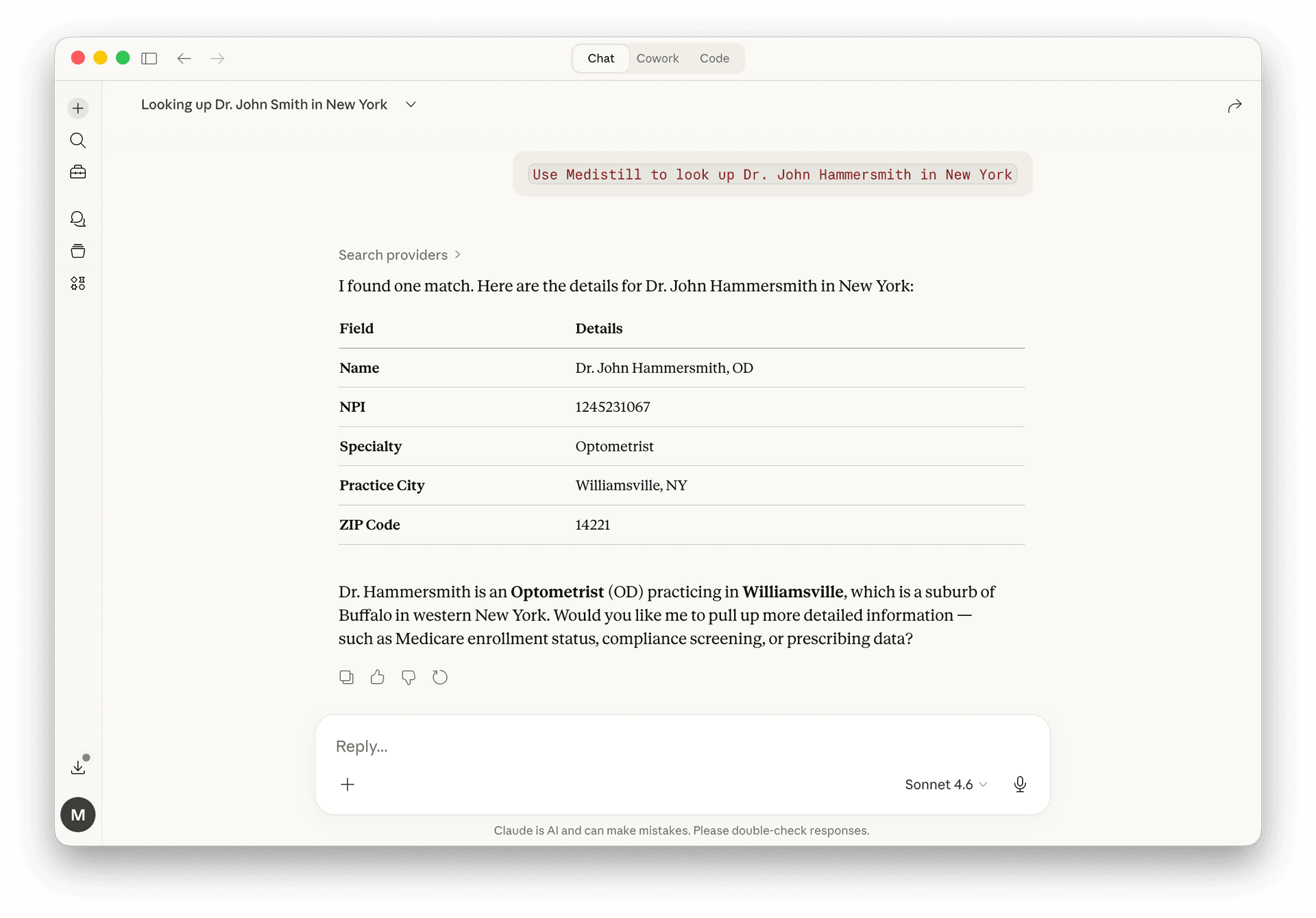
Start a new conversation and type a natural language query. For example:
Use Medistill to look up Dr. John Hammersmith in New YorkClaude searches the provider registry and returns a structured profile, name, NPI, specialty, practice city, and ZIP code. No SQL, no API calls on your end.
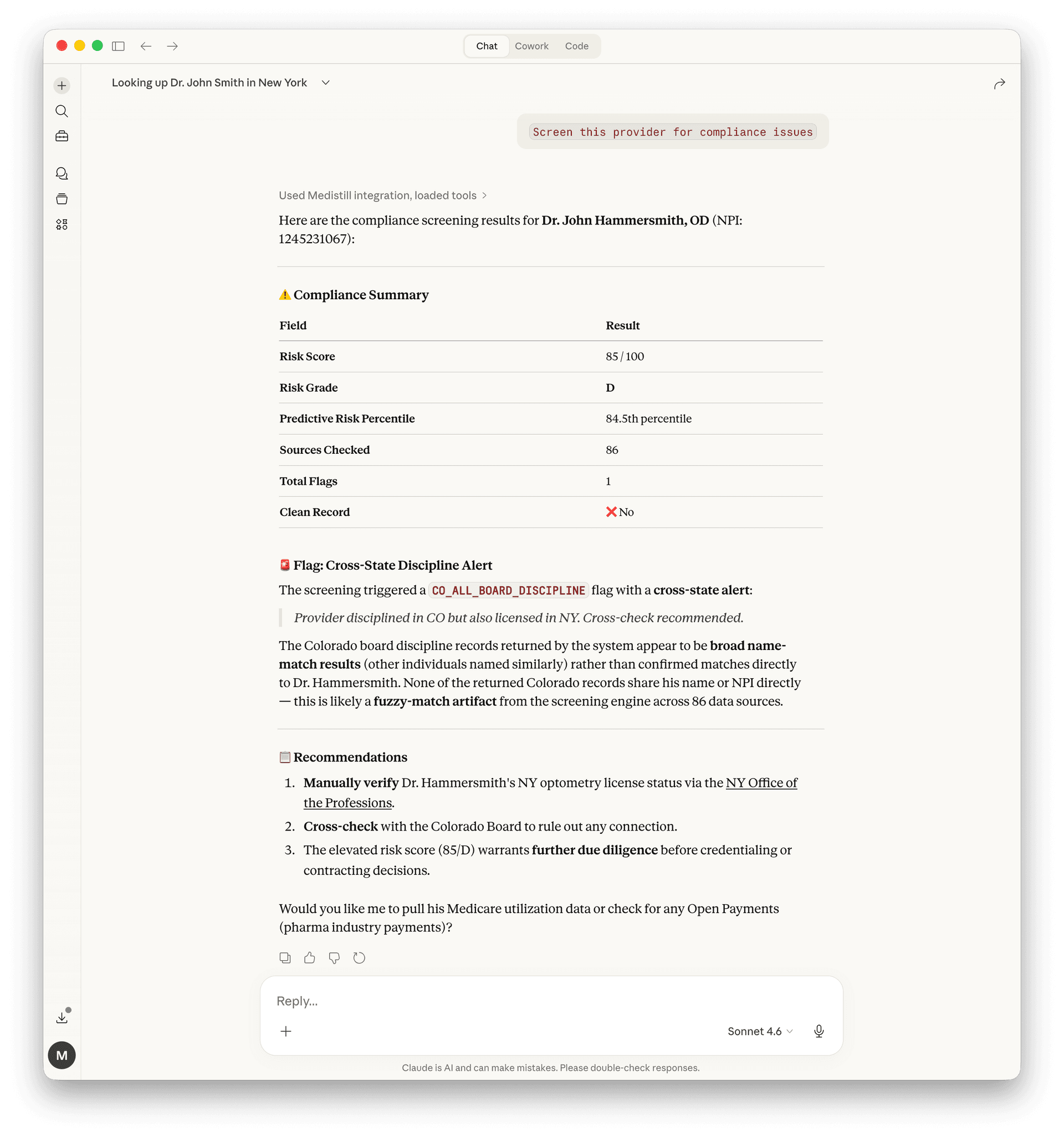
From the same conversation, ask Claude to screen the provider. No need to repeat the name or NPI, Claude maintains context:
Screen this provider for compliance issuesMedistill checks the provider against 130+ enforcement databases and returns a compliance summary with a risk score (0–100), letter grade, predictive risk percentile, total flags, and detailed alerts with recommendations.
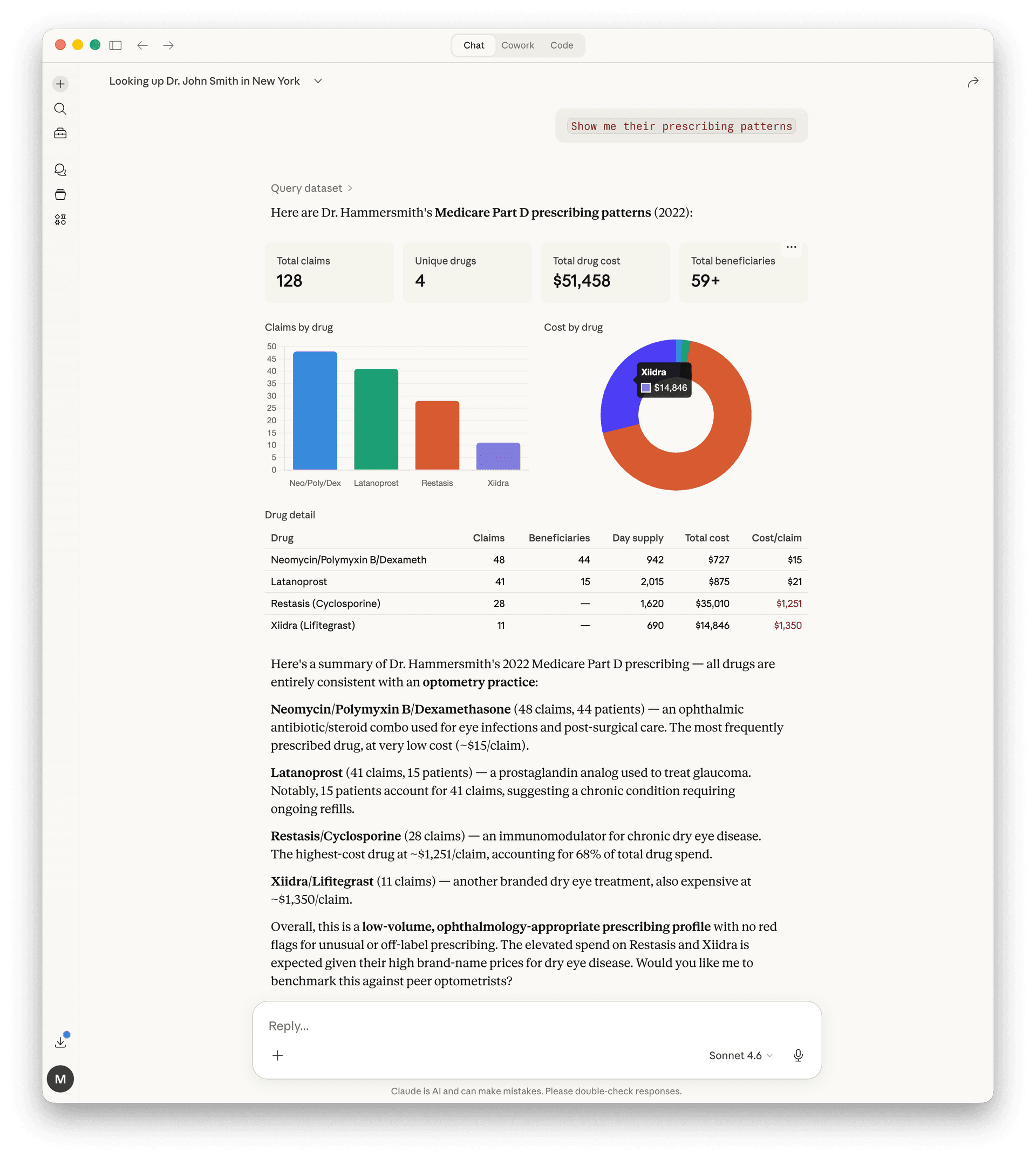
Keep going, ask about prescribing data:
Show me their prescribing patternsClaude pulls Medicare Part D prescribing data and generates charts and a detailed breakdown, total claims, unique drugs, total drug cost, beneficiaries, and a per-drug table with cost analysis. All from the same conversation.
Provider lookup
“Use Medistill to find all cardiologists in Houston, TX with Medicare billing over $1M”
Drug safety
“Use Medistill to show me the most reported adverse events for Ozempic in the last year”
Hospital comparison
“Use Medistill to compare readmission rates for the top 5 hospitals in Chicago”
Compliance
“Use Medistill to screen NPI 1234567890 for compliance issues across all enforcement databases”
Market analysis
“Use Medistill to show which states have the highest per-beneficiary Medicare spending”
Prescribing patterns
“Use Medistill to show me the top opioid prescribers in Ohio by total claims”
Next guide
Compliance Screening